

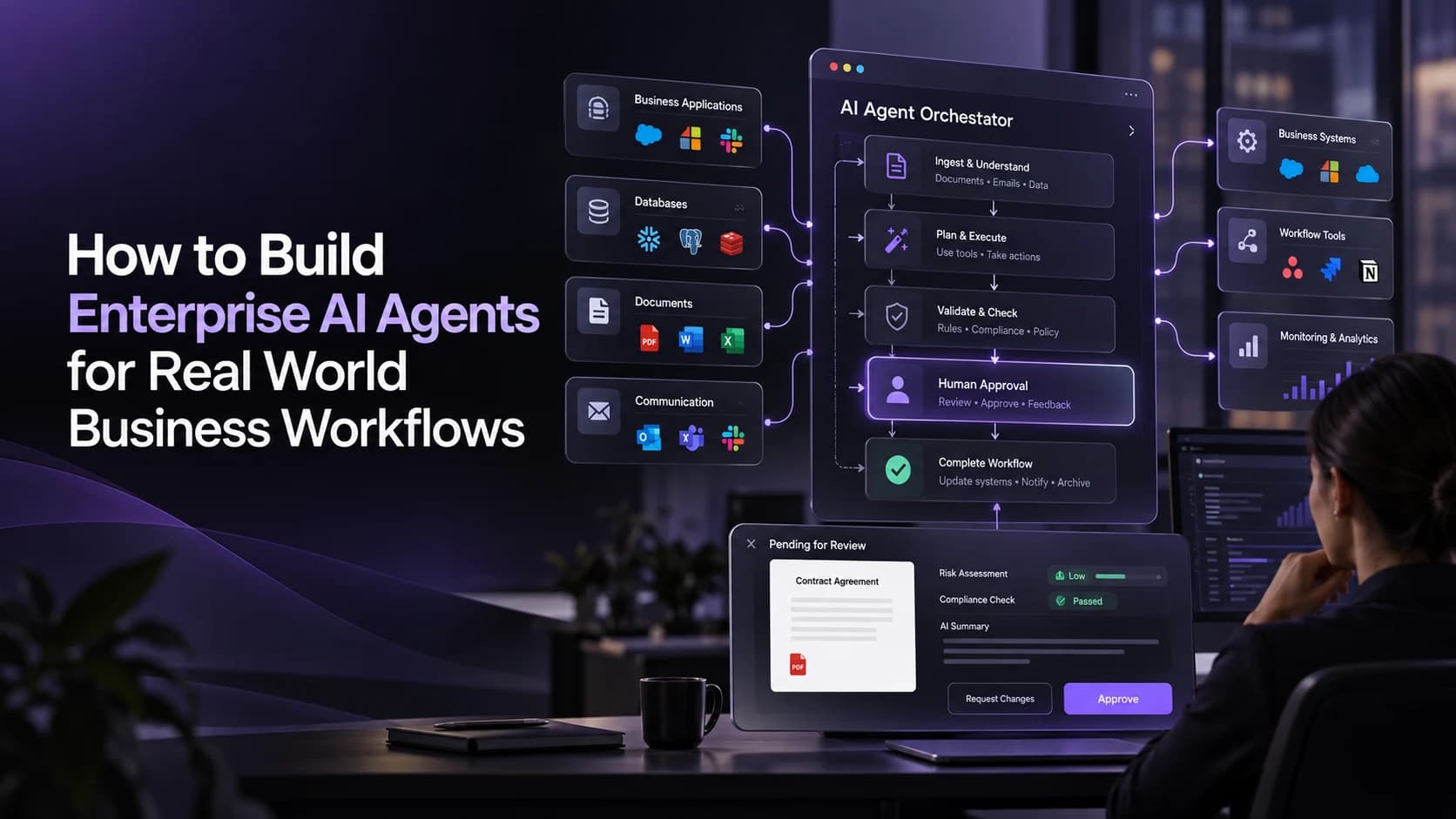
How to Build Enterprise AI Agents for Real World Business Workflows
Whilst an AI agent may perform well on show, connecting the AI agent to systems in a company can introduce challenges. Data may be missing from customer records and applications may have varying formats. Some tasks will also require approval from employees.
This is why creating enterprise AI agents can pose challenges.
The companies need integration processes which are trustworthy, explicit permission settings, control over how tasks are performed and monitoring to ensure safe use of the AI agents.
Quick Answer
Developing enterprise AI agents begins by identifying a specific process that needs to be carried out, and what your agents will be able to do. Team members will link approved data sources and tools together, set up access, build the logic for carrying out tasks, and test realistic scenarios. To successfully implement an AI agent you'll need people to give permission for sensitive processes, monitor how it is performing and continually improve based on real results.
What Makes an AI Agent Ready for Enterprise Workflows?
An AI agent is a piece of software which uses artificial intelligence to deduce what you want to do, find any relevant information and perform actions that they are allowed to by using integrated business applications within your business.
These can handle complex workflows.
However there is more to an enterprise ready agent.
| Core Component | Purpose |
|---|---|
| AI model | Interprets requests and helps determine actions |
| Knowledge layer | Retrieves relevant business information |
| Tool integrations | Connects approved applications and databases |
| Orchestration layer | Coordinates tasks, execution order, and exceptions |
| Security controls | Restricts access and sensitive operations |
| Monitoring system | Records outcomes, errors, and agent activity |
These components allow businesses to build systems that support operations without giving AI unrestricted authority.
How Do You Build Enterprise AI Agents Step by Step?
Understanding your business process
1. Identify the right process
Identify a process that contains a number of similar tasks that involve coordination, gathering or decision making.
For example, within your procurement department you may have requests coming in from suppliers on a regular basis, verification documents, comparing purchase orders and raising exceptions.
Write this out and identify how much time is being spent on the process.
What are your goals? Reduce manual tasks, increase data accuracy, reduce approvals?
Don’t choose a complex process just to prove what you can do with AI!
2. Build your business data and systems
You need to ensure that your agents have access to reliable data so they can carry out meaningful tasks.
Identify what data sources are needed for the chosen process. This could include:
- Databases
- Documents
- APIs
- Applications
Ensure that you have considered:
- Data quality
- Access limitations
- Integration capability
In some cases, you may need your agent to only have read only access to certain data, for example, if the agent is looking at supplier invoices you may want them to only have access to purchase orders and not automatically be able to approve payments.
When assessing enterprise AI implementation services it is important to understand what data preparation and integration requirements will exist.
Having clear data boundaries will help reduce the possibility of making incorrect decisions and accessing information that shouldn’t be accessed.
3. Agent Architectures
Consider how your agent will be able to respond to requests.
Realistic agent architectures will consist of:
- AI Model
- Orchestration
- Tools
- Monitoring
The orchestration will decide which tools to use, what to do with the response, and when to escalate to a human.
Depending on the level of complexity of the task, you may just use one agent.
If the operation is more complex, it can be useful to use specific agents for each activity; however this can make things more complex to manage and debug.
Consider what will happen if any of your APIs fail, information is missing or the task falls outside of the scope.
4. Controls
We now need to think about what we would like our enterprise agent to do.
What would you like it to do? What tools are available? What information will be required? What output do you want? How will you escalate?
For example controls for an invoice checking agent may include:
Checking that invoices have been submitted against the appropriate purchase orders, highlighting any missing information, discrepancies and duplicates. Providing a structured summary to employees to review. Not approving payments or making any changes to financial information.
This means it can provide support but can’t make any financial commitment.
These are very important when trying to introduce intelligent automation into connected business processes.
5. Real world testing
Use real world scenarios to test your agent.
Try giving it some simple questions, incomplete documents, conflicting information, unavailable systems and out of scope instructions.
Check that your agent will choose the right tools, will stay within permissions and will be able to refer issues back.
Also make sure that it can handle any misleading instructions in emails/documents/information.
It should work well within a demo environment and be consistent with the parameters.
6. Go live and monitor
Start with a small group of users to see how the agent is recommending/doing actions.
Monitor how many tasks have been completed, how long it has taken, how long to resolve, any errors in the system and costs.
Review the logs to see which tools have been used and why certain actions have been taken.
Ensure you have processes in place to switch the agent off and reverse any actions.
Only increase the autonomy if the evaluation shows it is working well and safely.
What Does an Enterprise AI Agent Look Like in Practice?
Consider a manufacturing company managing supplier onboarding.
Traditionally, employees receive documents, check registration details, verify required information, and coordinate departmental approvals.
How an Enterprise AI Agent could be used:
- Gathers the supplier data
- Checks that all required documents are provided
- Compares the data provided to internal data
- Identifies any missing or conflicting data
- Creates a summary of the onboarding for approval
- Records the outcome once approved.
- This is just an example of how this could work.
The agent will process and manage the information but the employees will still need to approve suppliers.
This makes things much easier to handle as you can easily see what needs doing and what is an exception.
What Security Controls Do Enterprise AI Agents Need?
Connecting AI agents to internal applications creates risks that ordinary conversational systems may not face.
Agents might access sensitive information, trigger unintended actions, or follow malicious instructions contained in external documents.
Businesses should implement several safeguards:
- Least privilege access: Provide only the permissions required for each task.
- Human approval: Require authorization before consequential actions.
- Input validation: Treat external documents and messages as untrusted information.
- Activity logging: Record tool calls, approvals, and relevant execution events.
- Execution limits: Restrict retries, task duration, and resource usage.
Security controls should operate within the application and infrastructure, not depend solely on written prompts.
Teams developing these safeguards can also review responsible AI practices for enterprise systems to understand the importance of governance and accountability.
How Should Businesses Measure Agent Performance?
An enterprise agent can only provide value if it improves a process.
Track how accurately the tasks are completed, how much human interaction is required, how long it takes to process, how often errors occur and what the cost of running is.
Compare these figures to the original manual process.
Investigate any failed tasks or unexpected behaviours. If the tasks complete quickly but cause expensive fixes then the system may not provide value for your business.
Monitor the performance after any model changes, integration changes, permission changes and/or process requirements changes.
How Can MatchBest Support Enterprise AI Development?
MatchBest Group has expertise in multiple areas of technology including;
Agentic Intelligence, Orchestration, AI Automation, Cloud and Enterprise Software.
This is useful for businesses who want to develop agents.
A real world project should start by identifying workflows, technical requirements, architectural requirements and identify any risks.
If you are a business looking to develop enterprise level AI then MatchBest can work with your business to understand the operational requirements and find an appropriate way to implement.
Final Thoughts
Designing Enterprise AI Agents
You would want your implementation to be focussed, secure and limited.
Better to focus on getting tasks right than providing full autonomy.
If you design them correctly and have monitoring then enterprise agents can be a good addition to your processes and you can have accountability over key decisions.
For more insights into enterprise AI development, intelligent automation, and digital transformation, follow MatchBest Group on LinkedIn.