
Key Takeaways
Table of Contents
Introduction
They are hosting their shopfront on AWS but want to host their reports on BigQuery. There’s probably no point moving their checkout application to Google Cloud. They just want the right data.
Multi cloud requires you to start thinking about where you are going to deploy your workloads, how they’ll connect and who will manage them. You don’t want to pay more and add more complexity if there’s no useful features solving a problem.
Quick Answer
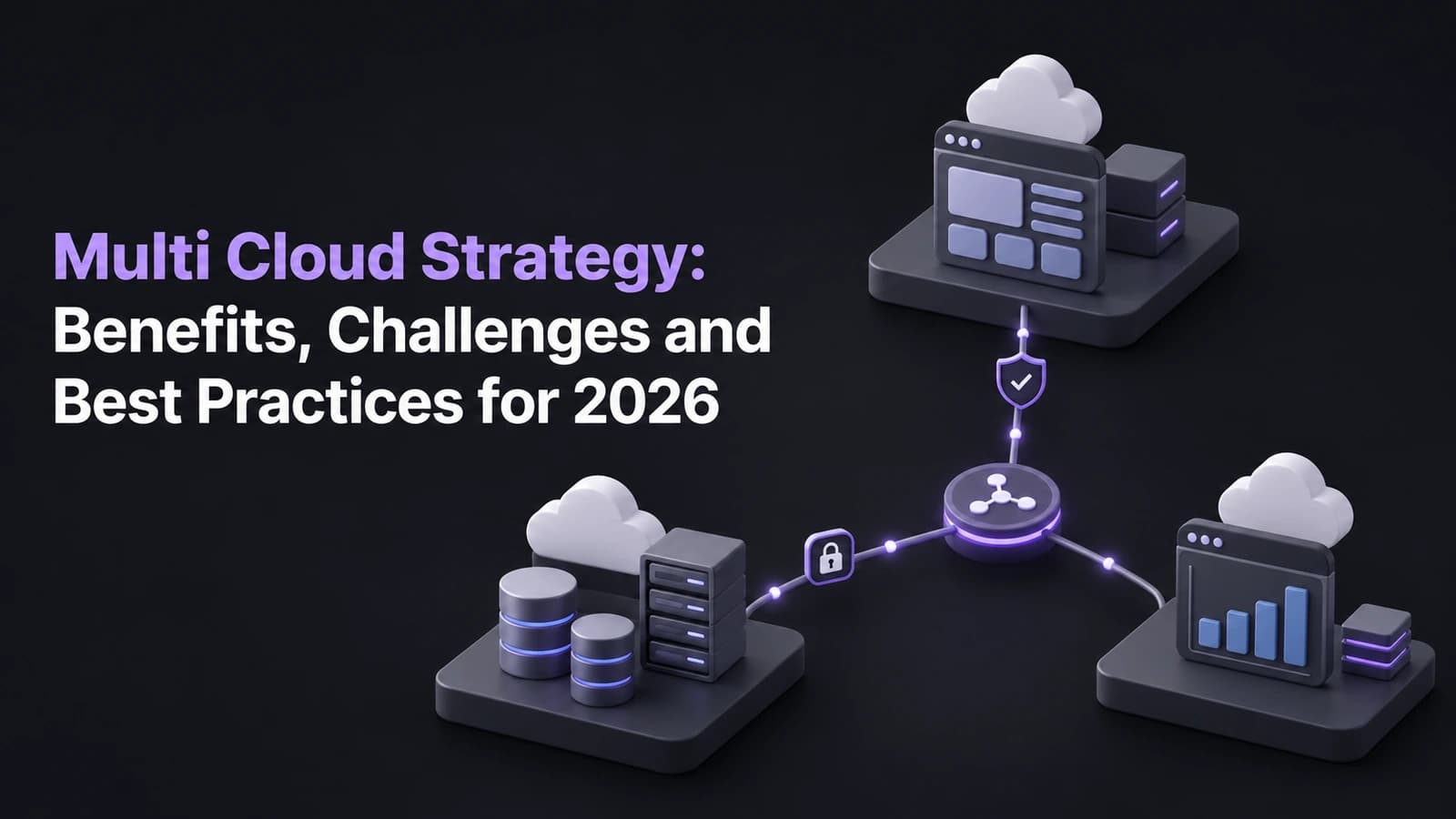
Multi cloud is the use of two or more cloud providers to support particular business requirements. This may be due to a special service being offered by a particular provider, a region being required, or to reduce reliance on a single provider. The benefit must outweigh the increased cost and complexity. Ensure that there is standardisation across security, billing and monitoring. Any disaster recovery solution should be tested.
When Is a Second Cloud Worth It?
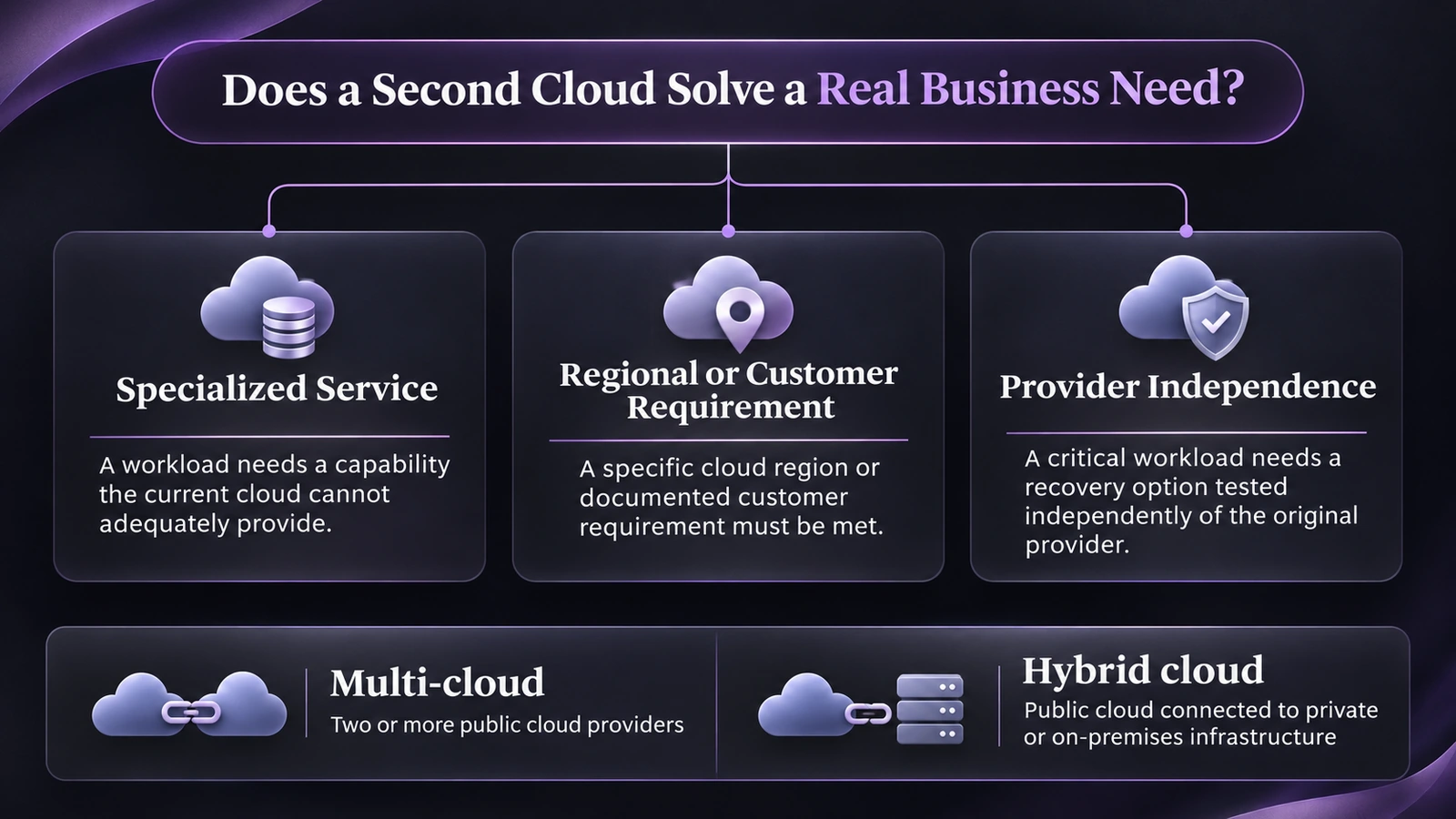
Multi cloud is using multiple cloud providers. Hybrid cloud is when you connect a private/on-premise environment to a public cloud. You can have a hybrid cloud and multi-cloud but adding another provider will not mean moving all of your workloads.
Identify what you need which your current provider can’t really provide. This could be a service relevant to an important workload, or a customer requirement to use a specific provider. Or there may be a genuine need to recover independently. Weigh up which of these options are possible with your current cloud hosting. Have you got hosting available in a second region?
| Business goal | When a second cloud can help | What to verify first |
|---|---|---|
| Use a specialized service | The service solves a clear problem for a distinct workload. | Data transfer costs, integration effort, and measurable benefits. |
| Meet a customer or regional requirement | The existing provider cannot meet a documented requirement. | Service availability, data location, and support in the target region. |
| Reduce provider dependence | A critical workload can be moved or recovered without relying on the original provider. | Data export, replacement services, recovery time, and shared dependencies. |
Using multiple providers can give you more options, but choice is not the same as portability. If an application relies on one provider’s database features or identity tools, moving it still takes engineering work.
Where Do Multi Cloud Costs and Complexity Show Up?
Don’t forget that in most cases, there will be additional costs associated with utilising a second provider. You’ll have additional permissions, network set up, monitoring, support and cost reporting. You’ll also need to know the order you would investigate with your team if the application is performing slowly and the dashboards show everything is okay.
We often overlook the data costs here. Your pilot may only transfer a few batches per night to the reporting provider. If you add new fields or ask for more frequent data transfers, you may find you start to increase costs from sending data out and duplicating. Ask your data engineering team to understand how much data will be transferred and what data is actually required to be sent. Also think about what happens if they fail.
Use the same owner, product and environment tags on all your providers where possible. Look at the cost per business outcome. I.e. What is the cost of delivering a reporting dataset on time? This should include support, network and man hours.
What Does a Practical Multi Cloud Setup Look Like?
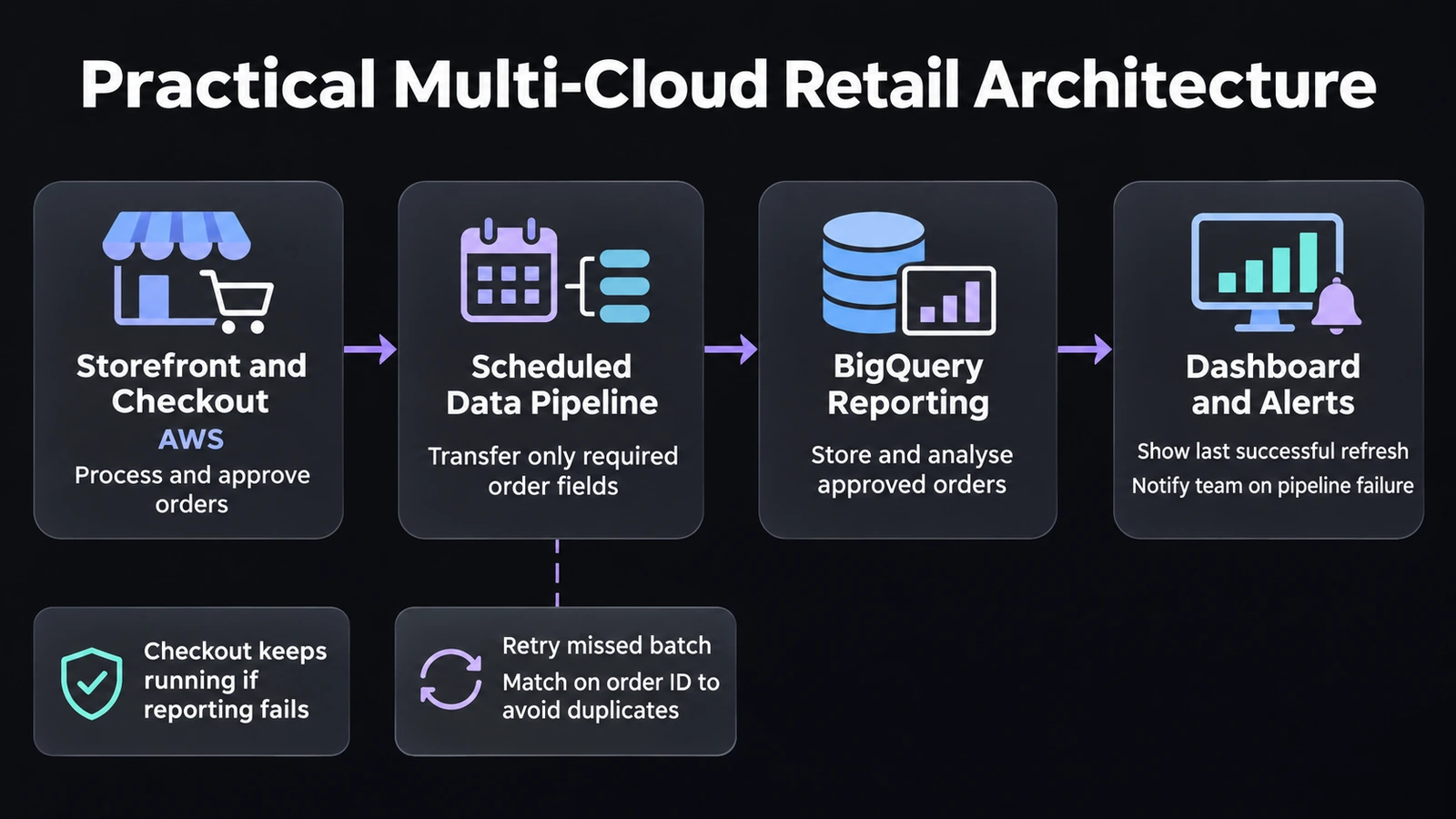
The customer returns to the Retailer. The Checkout service remains within AWS. Once orders have been approved they are sent to BigQuery to be used for reporting. The Storefront will never make a query to BigQuery for orders, instead a scheduled pipeline will send only the necessary fields to BigQuery.
Checkout is unaffected if there are any issues with the pipeline. The Reporting Dashboard will show us when it was last refreshed, and an alert is sent to the appropriate team to get the pipeline back up and running. They can run the missed batch again but since it’s only sending the relevant fields there’s no duplication of orders in the reporting.
The nice thing about this design is that the Reporting requirement doesn’t interfere with the Checkout service. The Retailer has new analytics functionality but doesn’t rely on both clouds for every sale.
What Are the Best Practices for Multi-Cloud in 2026?
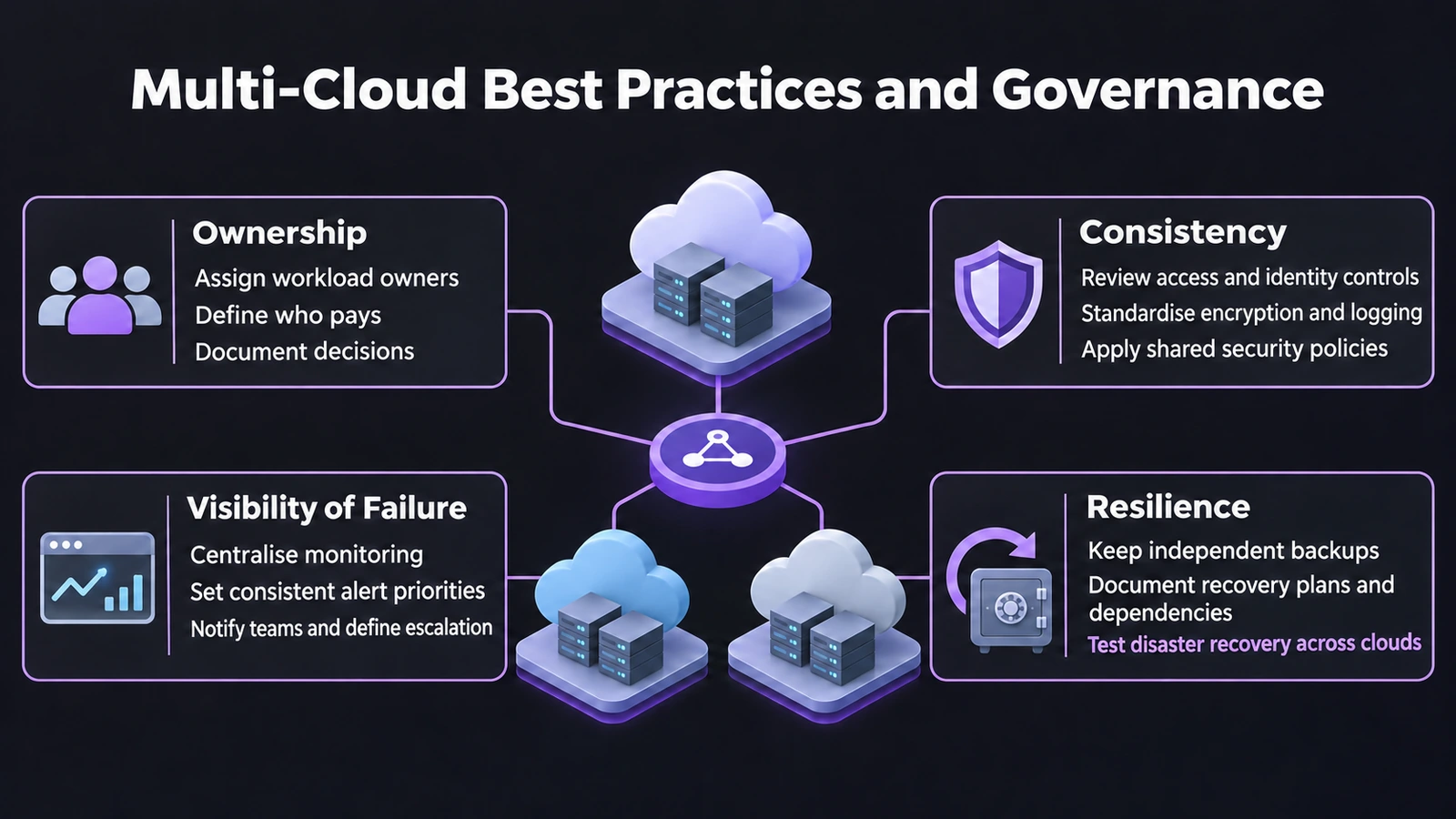
- Ownership: Ensure you have clear ownership for all workloads. Why are we using this in the Cloud Provider? Who is paying for it? Who is accountable if things go wrong? Revisit decisions when costs and requirements change.
- Consistency: Ensure that all services have consistent controls. Access reviews, encryption, logging and escalation should all be consistent. Where possible utilise the native services. But ensure you know where changes would need to be made.
- Visibility of failure: Ensure you have consistent alerting priorities. You also need to ensure there is a team who can be held accountable. Ensure that security controls take into account cross cloud identities, networks and data.
- Resilience: Ensure that you are truly resilient. Just because you have a backup in another Cloud doesn’t mean you’ll be able to recover if you need credentials, encryption keys or deployment tools from the Cloud Provider. Ensure you do an exercise to show you can recover. Document what data you’ll lose and how long it will take to get back up.
Final Thoughts
If you are going to go down the dual cloud route then make sure that you have a good reason. Document what your new cloud will do better and how data will move around between providers. Who will own the solution? Pilot a specific workload and compare against the most basic of single cloud solutions. Evaluate using the same criteria of cost, security, reliability.
Once you have a proven benefit that doesn’t cause any dependency issues that your team can’t support then scale up. If you can fix the issue by having two regions or existing services then this is an intentional decision to keep everything within one provider.
For more practical guidance on cloud infrastructure, follow cloud technology updates on LinkedIn.
Frequently Asked Questions
What is a multi cloud strategy?
A strategy that takes advantage of two or more cloud providers, how the workloads are deployed, interconnected and managed.
Is multi cloud different to hybrid cloud?
Yes. Multi cloud is using multiple cloud providers whereas hybrid cloud is using public cloud services in conjunction with your own private/on premise infrastructure.
Will multi clouds always increase uptime?
Not necessarily. You will only increase uptime if your system is designed to be resilient to the failure you are trying to avoid and it can recover.
Will multi cloud reduce costs in the cloud?
It can for a particular workload but this may be negated by additional costs incurred when data has to move between clouds, additional tools, support and staff hours.
Do you require Kubernetes to operate a multi cloud environment?
No. Each workload can be managed using the managed services available with each provider. You should only consider using Kubernetes if it provides a specific benefit to your operations through its deployment model.
What is a good workload to start with?
An isolated workload that has a measurable success factor. For example scheduled reporting that can be paused without affecting customer transactions.