
Key Takeaways
Table of Contents
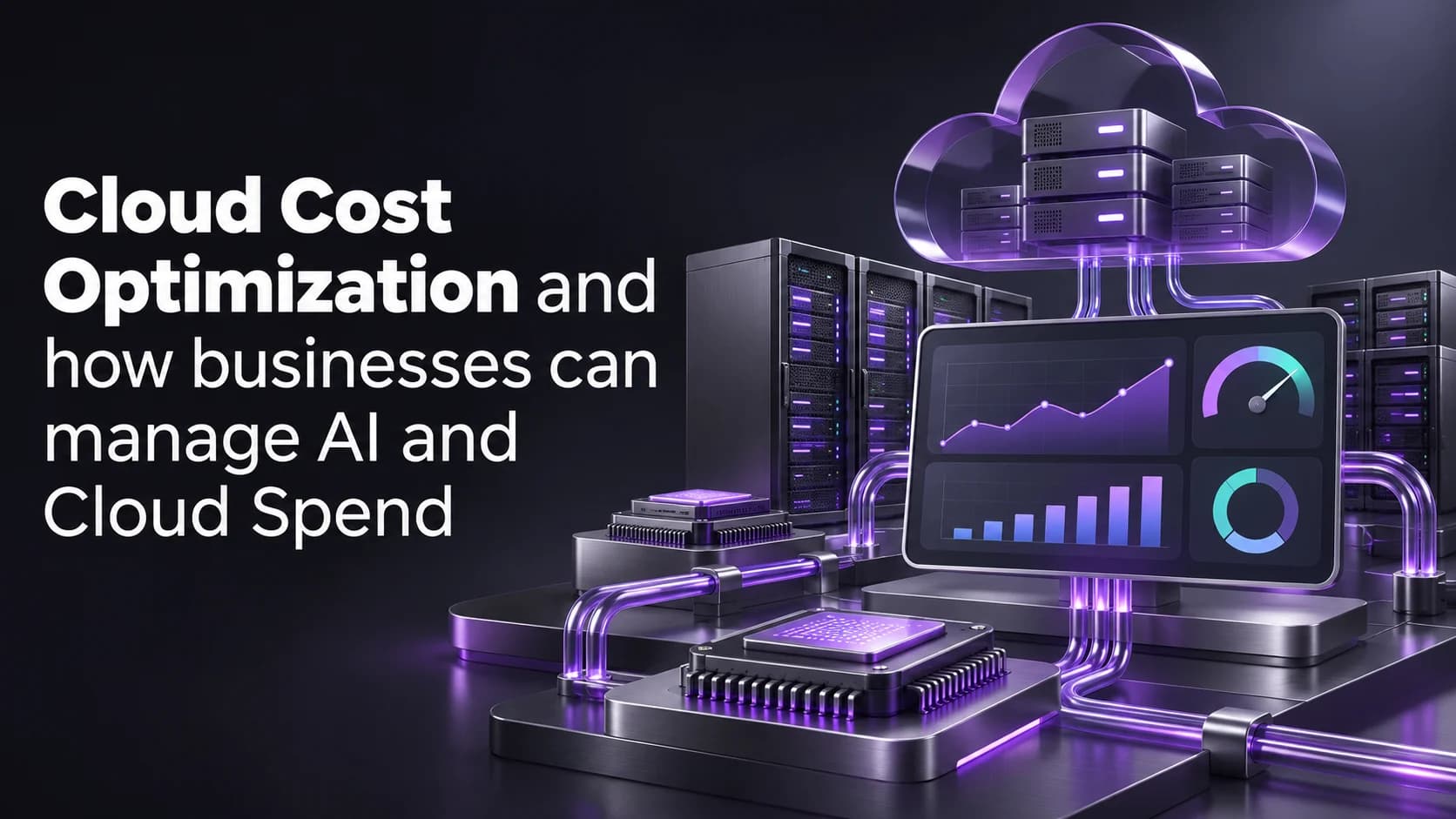
Cloud Cost Optimization and how businesses can manage AI and Cloud Spend
Your cloud bill has gone up. A new AI feature has launched and your finance team are seeing increased costs, your engineers are seeing normal performance and your product team are seeing increased adoption of the new feature. Although each party has some parts of the solution to the problem; it’s still unclear if your increased spend is delivering any benefit.
To optimize cloud costs you need to understand which increases are necessary and which are avoidable. If your business is serving more customers then it may make sense to increase spend. However if your workload is costing more due to retries, underutilised resources or a price shock then this isn’t the case.
Quick Answer
Optimise your costs in the cloud. This will ensure you aren’t paying for unnecessary cloud/AI services and you have minimal costs to deliver to your customers. First of all tag your cloud and AI costs by workload. Ensure you are tracking your spend and success. Look at prioritising optimising any unused cloud resources and unnecessary processing. Set up alerts, limits and owners for your budget.
What Is Driving Your Cloud and AI Bill Higher?
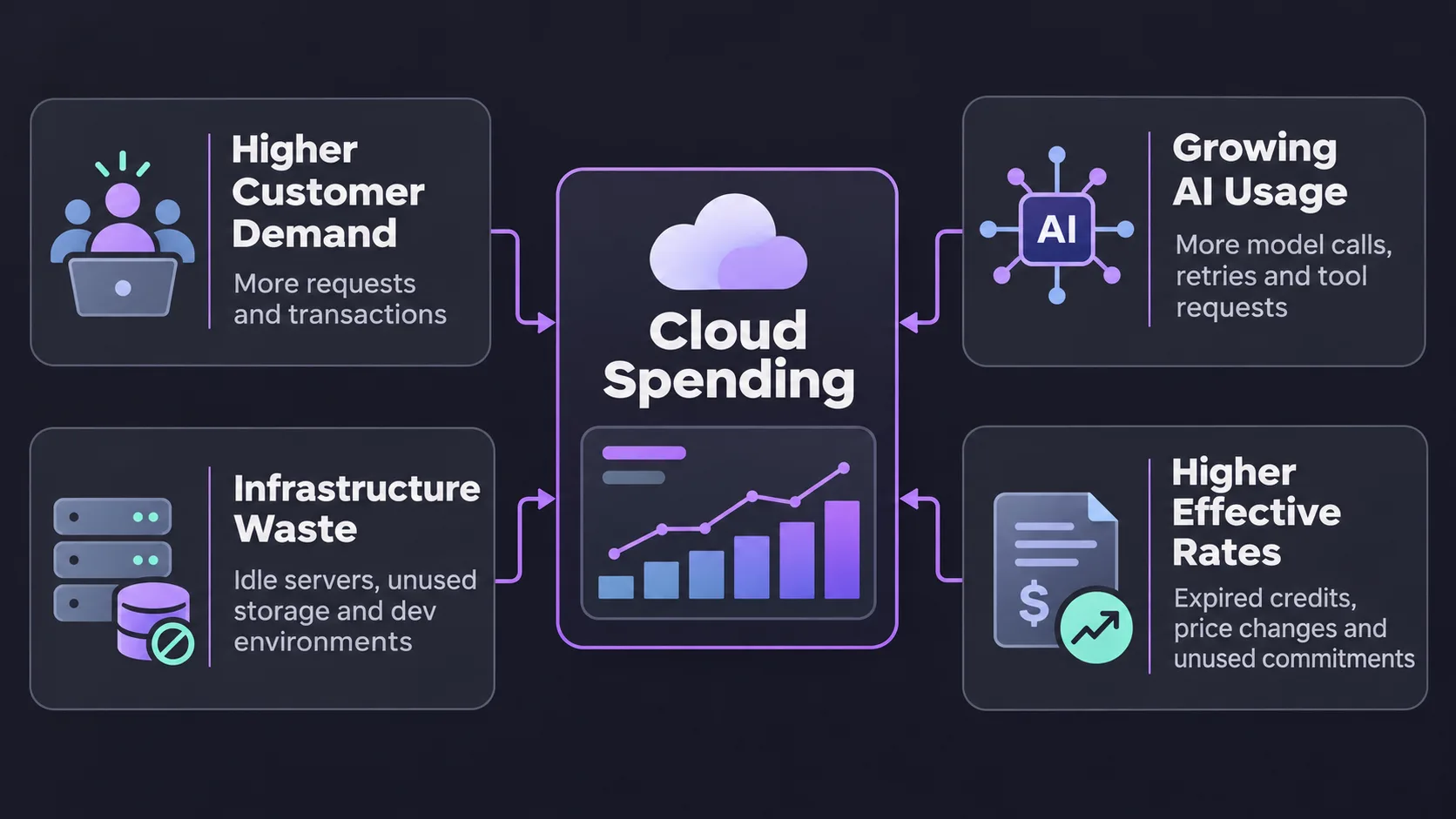
Start with the biggest change, not the biggest line item. Compare the latest billing period with a comparable period and ask whether the increase came from more demand, more resources used per task, or a change in the rate you pay. Each cause calls for a different response.
| What changed? | What to check | What to do first |
|---|---|---|
| Customer demand increased | Completed transactions and cost per transaction | Update the forecast before cutting capacity. |
| AI usage grew faster than completed work | Model calls, retries, and tool requests per successful task | Trace failed or unusually expensive requests. |
| Infrastructure spending rose without more demand | Idle environments, storage growth, and outbound traffic | Confirm ownership before resizing or removing resources. |
| The effective rate increased | Expired credits, pricing tiers, and unused commitments | Reprice the workload using actual usage and contract terms. |
Include charges billed outside your main cloud account, such as direct model API subscriptions. Otherwise, a change can look like a saving simply because it moved spending to a different invoice.
How Do You Find Waste Without Slowing Down Production?
Make sure that you have clear ownership of all your workloads and are able to easily identify where your development/test/experimentation spend is coming from. Use tags and project IDs where possible. For shared resources make sure you can easily see where they are spending. If using something like storage/request based resource, make sure it tracks back to what usage you are incurring. Any unallocated spend should be clear.
Start with low risk changes. Ensure you have turned off any resources in your non production environments. Check you actually need your legacy snapshots. Work with Security and Operations to understand how much logging is being retained. If scaling your cloud hosting resources, think about how much you are using in your production environments. That large server you think you are over provisioning could be your month end server!
Don’t get stuck in a waste situation by purchasing discounted spare resources!
How Can You Tell Whether Higher AI Spending Is Worth It?
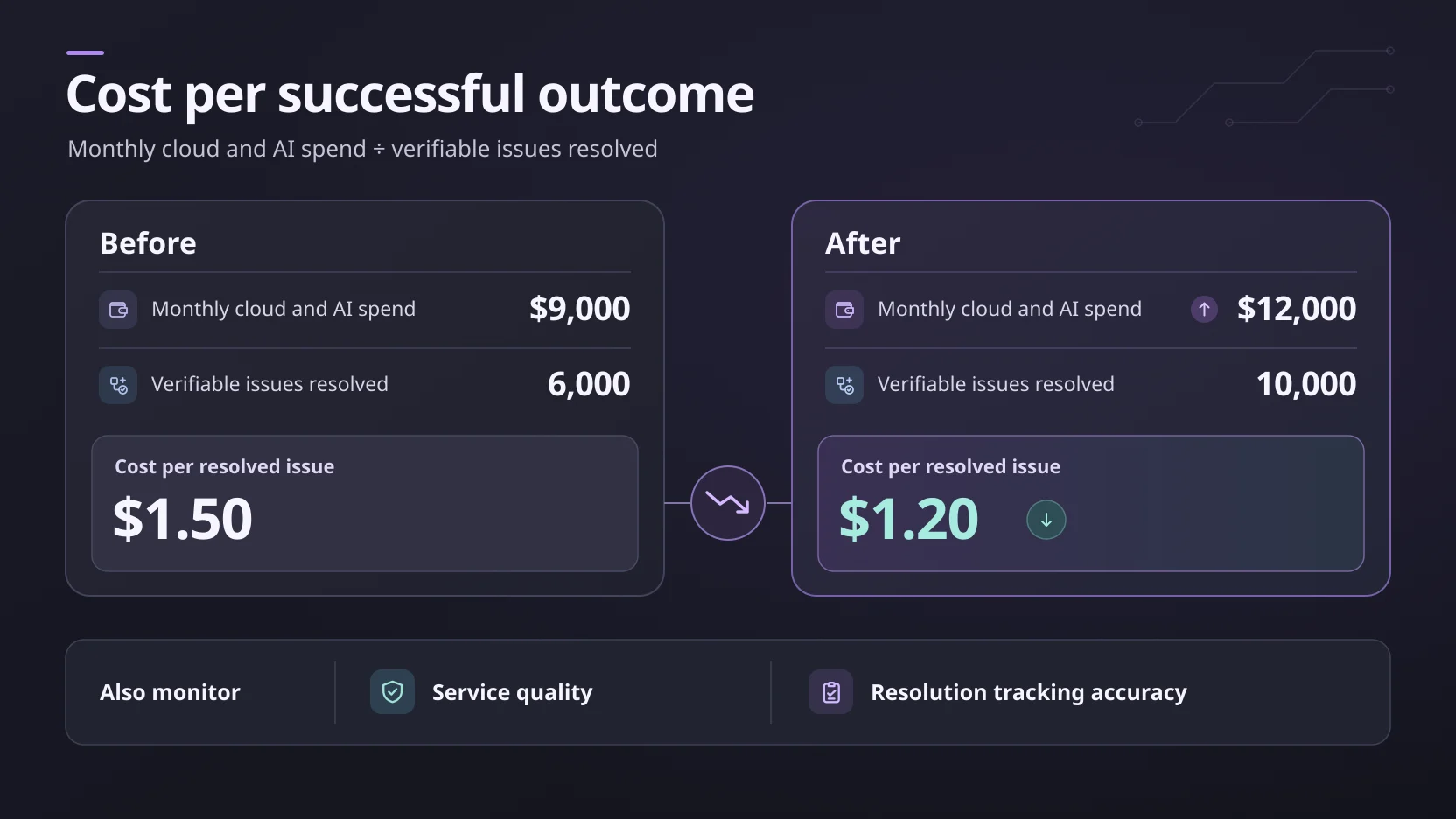
Imagine you have an e-commerce business, where your costs for cloud/AI are going from $9,000 a month to $12,000. But your number of verifiable issues resolved are increasing from 6,000 to 10,000. Although your bill is increasing, your cost per verifiable issue is decreasing from $1.50 to $1.20. As long as your service quality is remaining consistent this could be representative of a more efficient process.
However if some of these were being incorrectly marked as completed and customers are coming back with the same issue, your calculation will be inflated. Know how you define a resolved issue and measure recurring contacts. Ensure you’re measuring the same criteria over the two time periods. This is just an example.
Using data engineering you can join your billing and application data to give you insights on workloads. Giving Finance visibility into why their costs have increased, whether it’s due to higher volumes, different types of requests or increased processing per case.
Which Spending Guardrails Actually Prevent Overruns?
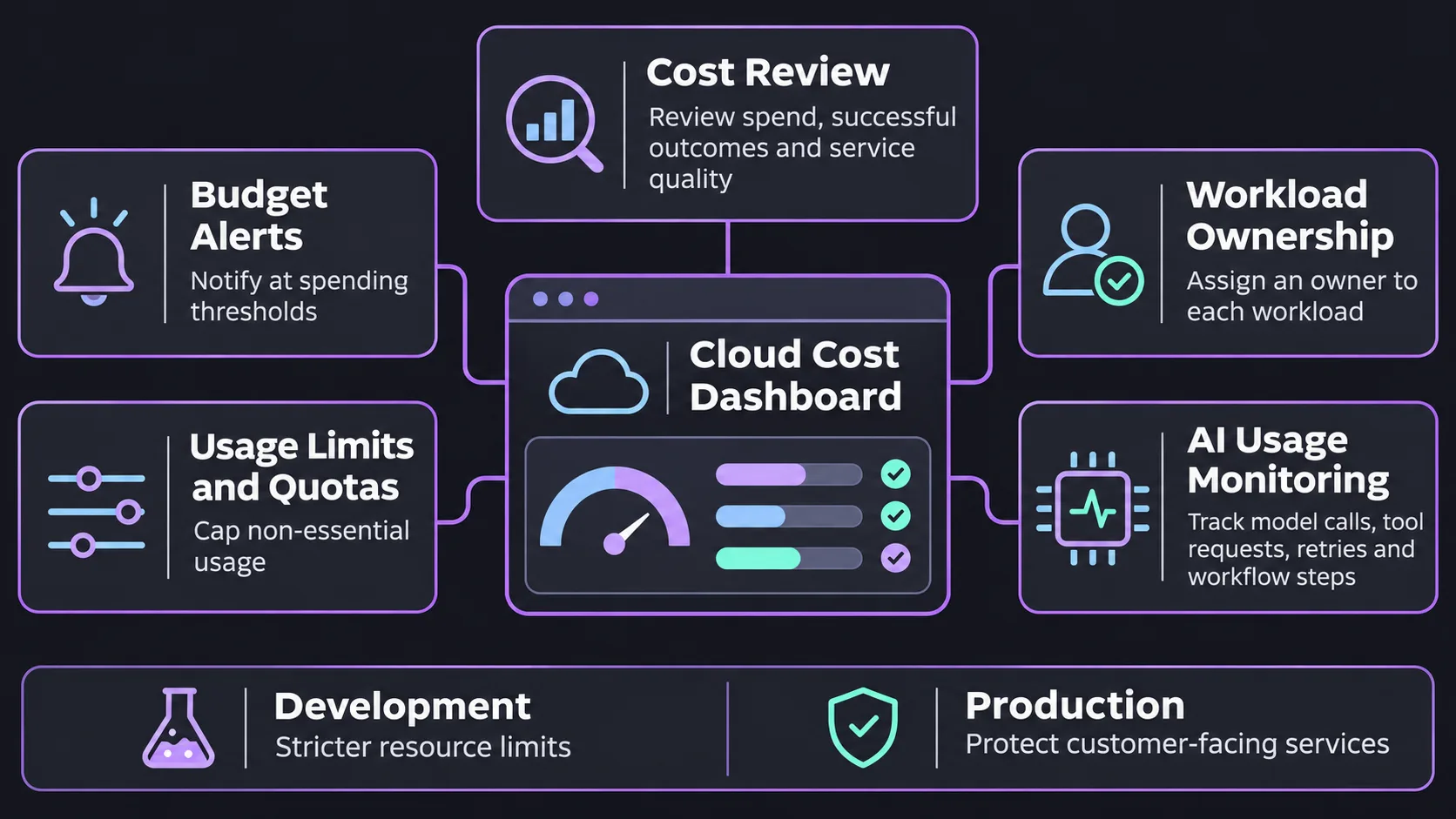
A budget alert means you should investigate. This will include deciding who needs to be alerted, what they should investigate and what actions you can safely take. In a development setting you might want to limit the use of this feature (using quotas) or disable it entirely. In a customer facing production environment you might want to limit a non-critical aspect of your application or queue the work.
Limiting the number of retries, model calls and tools used in your AI flow. Monitoring agents to see why one flow has more steps than others. If there is a timeout issue with any of the tools then limiting retries will help keep your budget and also improve your customers experience.
What Should Your First Cost Review Deliver?
Identify the greatest unexplained increase in workload, and bring the billing data, request volume and service quality data into a single discussion with finance, engineering and product owners. Agree what single change you will make, what you are expecting to save, and at what point you will roll back due to poor performance.
Once deployed, measure the outcome over a period of time whilst you have a similar demand and workload mixture. Measure if your bill was reduced, capacity was freed up, or something was purchased. All of these can be useful but should not be grouped together as one saving.
Final Thoughts
If you are able to offer the service, a reduction in your cloud bill will help. Start with one workload, own the cost and work out the cost per success. Reduce any waste and have a mitigation strategy in place for any budget alerts.
Next time you want to reduce costs, pick one mystery charge and work out where it is coming from within your workflow. This will give a better starting point.
For more on cloud infrastructure and enterprise AI, follow technology updates on LinkedIn.
Frequently Asked Questions
What is cloud cost optimization?
Optimizing cloud spend to eliminate waste and ensure you are getting the most out of your cloud expenditure. Whilst also ensuring performance and reliability is maintained.
Why do AI costs increase more quickly than usage?
Each request can cause a number of calls to the models, tools and retries. Tracking these will show you where costs are increasing.
Do alerts in the cloud budget stop you overspending?
No, they just alert you (and your team) to this. You need to set up controls to limit how much you are spending, or other automation if available.
When should you purchase commitments in the cloud?
Once obvious wastage has been eliminated and there is a steady portion of usage that is likely to remain consistent throughout the commitment period.
What is a good metric for measuring cloud cost efficiency with \What?
Cost per successful outcome related to your business. Cost per order processed or cost per support case resolved. This should be paired with a quality metric to ensure you are not appearing to save money through cheaper failures.
How regularly should you review your cloud costs?
Review your fast moving workloads weekly. Monthly cost reconciliation. And investigate any large anomalies as soon as they are identified.